
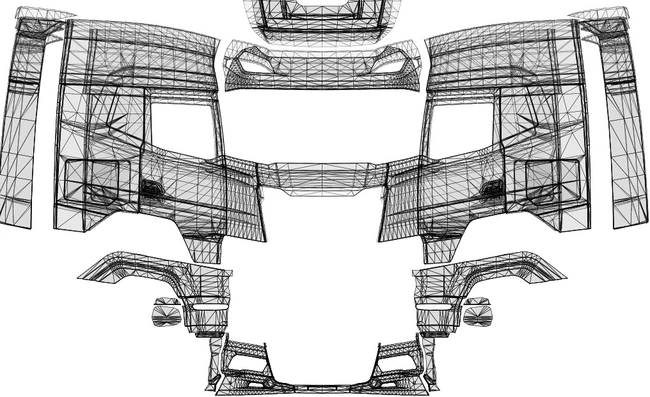
In ETS2, you can download templates for all trucks added to the game by SCS Software and create your own design by editing them. When the truck’s body type changes, you need to edit all the required areas in the template file so the skin is applied correctly to the new body type.
You need to save the images in DDS format. After editing the templates, you can convert them to DDS format.
If you do not have a program installed on your computer that can open and edit DDS files, you should download one first. Then install NVIDIA Texture Tools Exporter. If you use Photoshop, you can edit DDS files directly in Photoshop after installing the NVIDIA plugin.

Comments
No comments yet. Be the first.
Please read our Content Policy before commenting or reporting a problem.