
ETS2 1.61 Scania Next Gen Sound Pack
Scania Next Gen sound pack for ETS2. This sound pack works on the following models:Scania Next Gen - SCS Software (Game Standard)Scania Next Gen - EugeneScania Next Gen - Luan Lim…
Download
ETS2 and ATS mods
Scania Next Gen sound pack for ETS2. This sound pack works on the following models:Scania Next Gen - SCS Software (Game Standard)Scania Next Gen - EugeneScania Next Gen - Luan Lim…
Download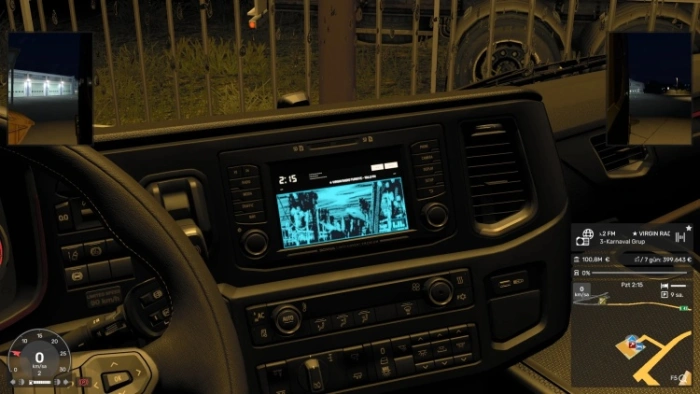
Pioneer Dolphin OEL 3D Multimedia Screen & 86 Live Turkish Radio Stations mod for ETS2. Bring the legendary 90s/2000s Pioneer Carrozzeria OEL (Organic EL) Animated Dolphin & Equalizer Deck directly onto your truck’s 3D dashboard screen, combined with 86 Live Turkish FM Radio Stations!
Download
IberFrio Reefer Unit Sound mod for ETS2. Realistic reefer unit hum and engine start sounds Works with SCS reefer, Schmitz S.KO Cool, Krone Cool Liner, Kögel Cool, Schwarzmüller and Tirsan SRI trailers Sound starts when coupling a reefer (short beep + unit engine start) Sound stops when uncoupling Sound plays immediately after loading a save with a reefer already attached Reefer trailers in traffic also have the unit sound (quiet, only when close) Quieter inside the cabin than outside Volume controlled via Options → Audio → Trailer Noise slider Compatible with Sound Fixes Pack (place this mod higher in the load order) Disable any other “Reefer trailer sound addon” to avoid conflicts Sound now plays right after loading a save with a reefer attached (no need to re-couple) Added sound for reefer trailers in traffic Improved continuity of the hum while driving Quieter start beep Better cabin vs exterior volume balance Tested on game version 1.61.x
Download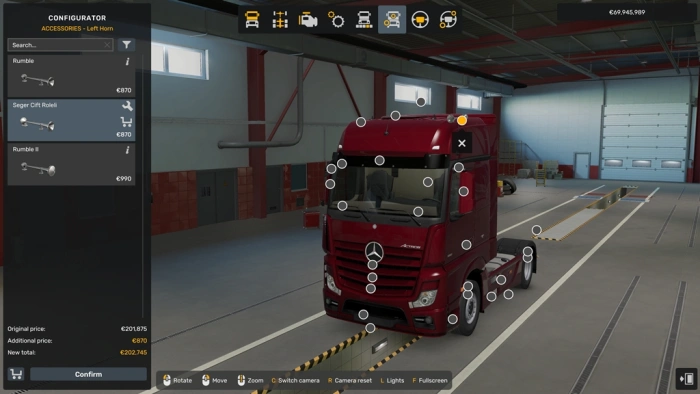
Seger Air Horn mod for ETS2. Bring the powerful sound of a SEGER-style dual relay air horn to Euro Truck Simulator 2! Designed for truck enthusiasts who want a more realistic and immersive driving experience. Features: Realistic dual-tone air horn sound Short and long horn blasts Powerful, deep and authentic truck horn character Compatible with Euro Truck Simulator 2 Enjoy the road and happy trucking
Download
Voice Navigation - English Voice of James Earl Jones mod for ETS2. A voice navigation mod featuring the deep voice of James Earl Jones guiding you on your travels in English. Compatibility: ETS2 v1.46 – v1.61 Requirements: No DLCs required. Compatible with all other sound mods without altering game structure. Installation: Copy the .scs file into your C:\Users\YourUsername\Documents\Euro Truck Simulator 2\mod folder. Activate it in the mod manager (ensure it is placed above the Sound Fixes mod or any other sound mods). Go to Options > Audio > Voice Navigation. Select English – James Earl Jones from the dropdown menu. Note: To hear the speed warning voice, you must enable the truck speed limit option in the interface settings.
Download
Horn of Iraq mod for ETS2. Upgrade your truck with the authentic sound of the streets! high-quality Iraqi Air Horns and a custom Reverse Warning sound built specifically for Euro Truck Simulator 2. Features: Authentic Iraqi Horn Sounds: High-definition, sharp, and iconic Iraqi horn effects. Custom Reverse Warning Sound: Realistic reverse warning audio when shifting into reverse gear. High Quality Audio: Crafted using for immersive sound in-game. Full Compatibility: Compatible with all default trucks and roof horn/accessory slots. Game Compatibility: Tested and working smoothly on current ETS2 versions. How to use: Activate the mod in the Mod Manager. Go to the Truck Upgrade / Accessory Shop. Select the Roof Horn slots and equip the “IRQ Horn Bosch “. Engage the reverse gear to hear the custom reverse warning!
Download
Voice Navigation - English Voice of Jeremy Clarkson mod for ETS2. A voice navigation mod featuring the funny, casual side of Jeremy Clarkson’s voice guiding you on your travels in English. Compatibility: ETS2 v1.46 – v1.61 Requirements: No DLCs required. Compatible with all other sound mods without altering game structure. Installation: Copy the .scs file into your C:\Users\YourUsername\Documents\Euro Truck Simulator 2\mod folder. Activate it in the mod manager (ensure it is placed above the Sound Fixes mod or any other sound mods). Go to Options > Audio > Voice Navigation. Select English – Jeremy Clarkson from the dropdown menu. Note: To hear the speed warning voice, you must enable the truck speed limit option in the gameplay/interface settings.
Download
Voice Navigation - English Voice of Will Smith mod for ETS2. Replace your default GPS audio with the English voice lines of Will Smith. This mod adds navigation instructions with a casual tone to your trips in Euro Truck Simulator 2 Supported Versions: 1.46 – 1.61 Compatibility: Compatible with all sound mods; does not alter base game files. Audio Fix: If the voice preview does not produce sound on the first attempt, select any default voice, preview it, then switch back to the Will Smith voice pack.
Download
Sound Fixes pack for ETS2. DESCRIPTION:This mod has been bringing more immersion to common sounds in the game for over 10 years!It packs a variety of sound content within one mod,…
Download
Konstantinidis V8 Sound mod for ETS2. Includes: Real sound of R950 Konstantinidis Air brakes Air Gear Automatic ‘ventil’ when you release gas pedal at low RPM Two types of cabin horn – vabis and whistle Three types of original bov (blow off valve) sound Retarder from MB Travego Custom jake brake Two choice of engine – 650 and 950HP Don’t forget to remove other sound mods (including mine) and give high priority in mod manager Compatible with: Scania RJL, Eugene’s R&S, BC – Man TGX 2020 Game Version: 1.61
Download
Truck Sounds Reworked Mega pack for ETS2. Features: 19 engine sounds reworked from SCS sounds For PPC and 6 types of retarder sounds New specific motors for precise sound for each motor Custom internal attenuation for realistic sound inside the truck New improved custom sound attenuation for realistic sound attenuation with reverb and distortion effects New improved exhaust distortion combined with sound orientation for realistic exhaust effects Sound for: DAF XF 105 by Vadik MAN TGX 2020 MAN TGX Euro 5 Reworked by Madster MAN TGX Euro 6 by Madster Mercedes-Benz Antos 12 Mercedes-Benz Actros 2019 Mercedes-Benz Actros MP2 Black Edition by Dotec Renault Magnum by Knox Scania RJL (R, Streamline, T series, 4 Series) Scania R2012 by Fred RPIE Volvo FH16 2012
Download
Reefer Trailer Sound Addon mod for ETS2. Hear the seamless white noise of a reefer trailer! This mod adds the definition files to activate the Sound Fixes Pack reefer sounds for reefer trailers by SCS Software. There are some trade-offs due to reefer sounds not being a standard feature in the game yet. Nevertheless, a lot of limitations have been overcome to allow more freedom and less hassles. Read below for details: Setup: Enable this addon and the Sound Fixes Pack. Make sure the Sound Fixes Pack has high priority in the Mod Manager. Other road / trailer tire sound mods must be disabled. Please note: The refrigerated trailer will beep and its engine will startup after coupling the trailer. The reefer will continue to run as you drive and you can hear the hum of it from the truck interior. As there are multiple reefer engine sounds supported, the reefer engine sound may be different depending on the trailer. The mod relies on the trailer tire sound to carry the reefer sound. The sound event will stop after decoupling the trailer. See compatibility section for what modes the functionality will work. For any owned reefer trailer, there is a workaround built in to the Sound Fixes Pack to enable the reefer sound. The reefer startup sound effect is not supported with the workaround option. Some roads may not be supporting trailer tire sounds, hence why the reefer sound might not work there. If this happens, driving offroad into the grass or gravel usually gets the reefer sound loop working again successfully. Workaround for any trailer including owned reefer trailers: 1. Go into the Audio settings. 2. In the voice navigation menu, select \”~ Function – Force enable reefer sound\”. 3. Click the Preview button. 4. Select a different voice navigation option OR uncheck the voice navigation. 5. If you want to turn off the reefer sound, detaching the trailer will work in most cases. Otherwise restart the game. Fully supported trailers: 1. Base game reefer trailers 2. Schwarzmüller Trailer Pack DLC reefer trailers 3. Krone Trailer Pack DLC Cool Liner trailers 4. TIRSAN Trailer Pack DLC SRI trailers 5. Schmitz Cargobull Trailer Pack DLC S.KO Cool trailers 6. Kögel Trailer Pack DLC Cool trailers Compatibility: Freight Market: Confirmed to work External Contracts: Confirmed to work. Quick Jobs: Can work, but you need to disconnect and reconnect the trailer to start the cycle. Ownable Trailers: Confirmed to work with: Supported DLC trailers only. You can use the voice navigation workaround for unsupported reefer trailers but it won\’t include the startup sound effect. Game versions: 1.61, 1.60, and 1.59 Sound Fixes Pack required for the functionality. Sound volume configuration: The Trailer Noise slider controls the sound volume of the reefer startup noise and the reefer sound loop. It is recommended to have the slider at 50%.
Download