
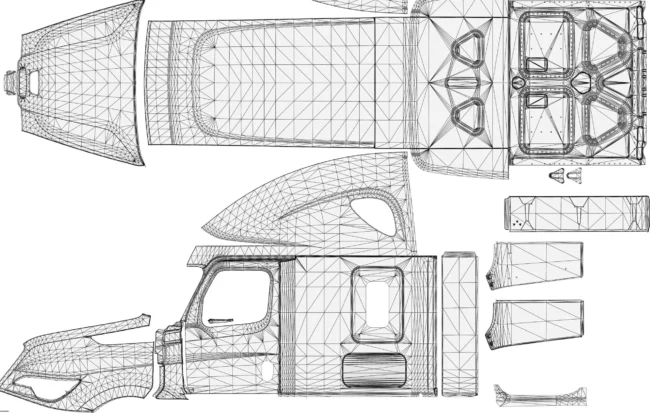
Download truck templates for the vehicles officially added to American Truck Simulator by SCS Software and use them to create your own custom skins and paint jobs. You can edit the template files with your preferred graphics software and apply your own colors, logos, patterns, and other design elements.
Truck models may include different cabin, chassis, and body configurations. To ensure that your paint job displays correctly on every supported configuration, make sure you edit all the required sections included in the template.
Your completed texture files must be saved in DDS format. You can first design the skin using the original template and then export or convert the finished image to a DDS file.
A compatible image editing program is required to open, edit, and save DDS textures. Photoshop users can install NVIDIA Texture Tools Exporter to add DDS import and export support:
Comments
No comments yet. Be the first.
Please read our Content Policy before commenting or reporting a problem.